Top home security cameras
Explore our guide to home security cameras, their benefits and how they can affect your home insurance.
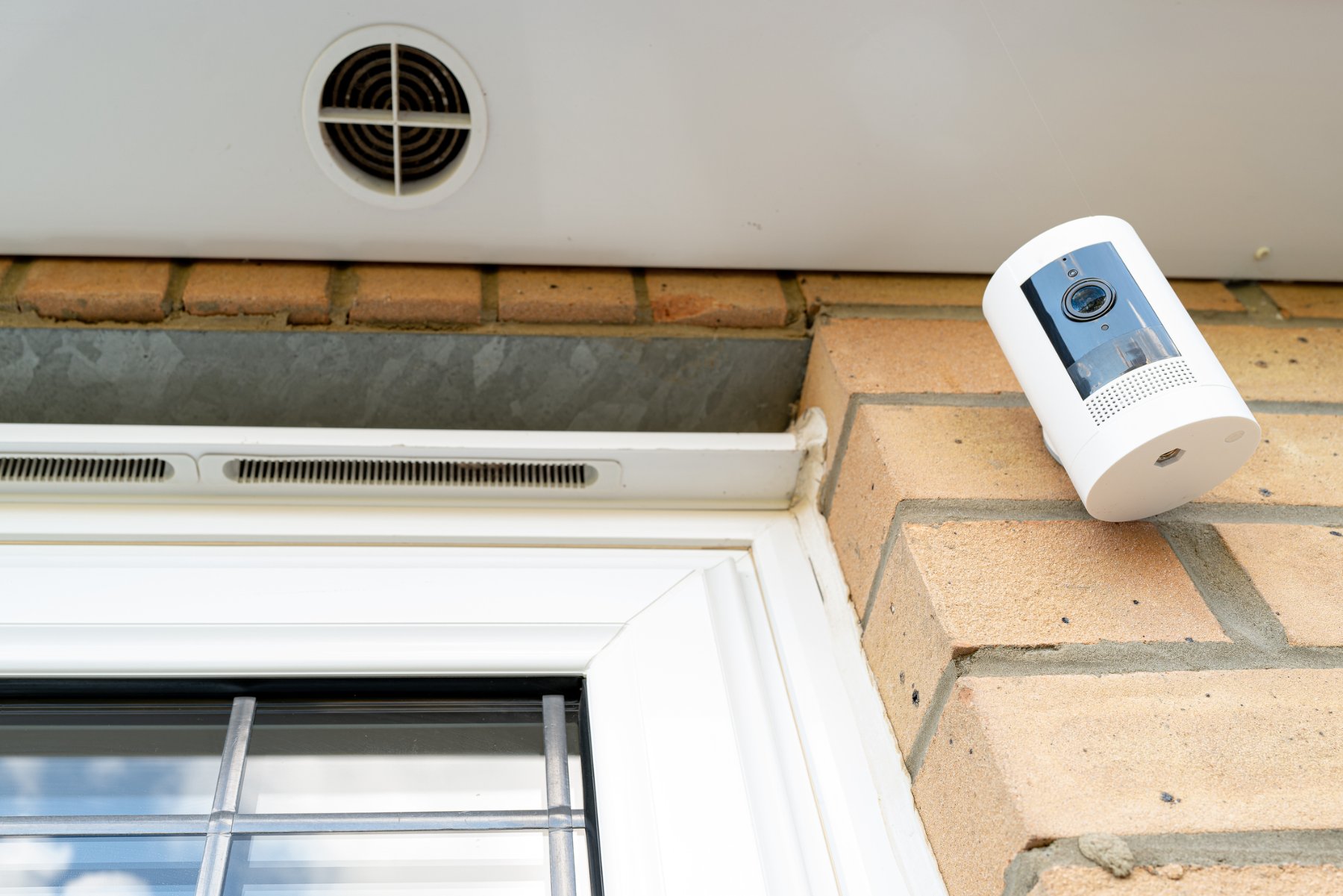
Home security cameras: our guide to the best options
Smart security cameras are now a common sight on UK streets – from video doorbells to floodlight cams in back gardens. With burglary rates down more than 75% since 1995 and homes with visible security systems less likely to be targeted, more people are exploring cameras as part of their set-up.
In this guide, we walk through what home security cameras are, the benefits they can offer, and our picks for some of the best security cameras for typical homes. We keep things simple and factual and we show how cameras can sit alongside your home insurance cover as one part of your wider protection.
Key points at a glance
- Home security cameras can deter opportunistic burglars and support police investigations.
- Smart home camera systems with app control let you check in remotely and use two-way talk.
- Features such as night vision, motion detection and local or cloud storage vary a lot between models.
- Some insurers view cameras and CCTV as a sign of better security and may reflect this when setting premiums, but this depends on the provider.
What are home security cameras and how do home camera systems work?
Home security cameras are devices that record video – and often audio – in and around your home. They usually connect to your Wi-Fi so you can watch live feeds or recorded clips from your phone, tablet or computer.
A simple home camera system might be just a single indoor camera. More advanced systems combine several cameras around the home, controlled through one app, sometimes with an alarm or door sensors as part of a wider smart home security system.
Main types of home security cameras
- Indoor cameras: Sit on a shelf or mount on a wall to watch hallways, living rooms or other key areas.
- Outdoor cameras: Weather-resistant, often with a built-in light or siren to deter intruders.
- Video doorbells: Replace or sit alongside a doorbell, letting you see and speak to people at the door.
- Floodlight or spotlight cameras: Combine a camera with bright lights and sometimes a siren for extra deterrence.
- Wired cameras: Plugged into a power socket (and sometimes an Ethernet cable) – no need to recharge.
- Wireless / battery-powered cameras: Use rechargeable batteries for flexible placement.
Most smart security cameras now link into app-based remote security camera monitoring, and many support voice assistants like Alexa, Google Home or Apple HomeKit.
What are the benefits of home security cameras?
There are several common reasons homeowners look at home camera systems and smart security cameras.
- Deter criminal activity. Research on burglary patterns suggests homes with visible alarms or cameras are less attractive to opportunistic burglars.
- Monitor your property in real time. Motion alerts on your phone mean you can see what’s happening straight away – useful for deliveries, pets or unexpected visitors.
- Remote access via mobile apps. Most systems offer live view and playback from anywhere with an internet connection, supporting true remote monitoring.
- Two-way audio for quick conversations. Many 2-way audio security cameras let you speak to visitors, couriers or family members through the camera.
- Peace of mind when you’re away. Whether you’re at work or on holiday, being able to check in on your home can reduce worry.
- Support for insurance and evidence.Security firms and insurance guides note that CCTV and smart security can reduce the risk of theft or vandalism and may be seen positively by insurers, although it doesn’t guarantee a lower premium.
At 1st Central, we see home cameras as one practical layer within an overall security plan that might also include good locks, lighting and, in some cases, an alarm. Cameras alone are not a magic fix, but they can play a useful role.
Top 5 home security cameras (reviews)
There are many home security camera reviews online, so we’ve focused on five models that are often recommended for a mix of performance, features and affordability. These are not endorsements, but starting points for your own research. Prices are approximate and may vary by retailer and time of year.
1. Arlo Pro 4 – best for high-quality outdoor coverage
Type: Wireless indoor/outdoor camera Approx. price: around £179–£220 per camera
Independent reviewers highlight the Arlo Pro 4’s sharp 2K video, 160° field of view and colour night vision, plus smart home integration with Alexa, Google Assistant and more.
Key features
- 2K video resolution with HDR
- 160° field of view
- Colour and infrared night vision
- Integrated spotlight and siren
- Works with major smart home platforms
Pros
- Wireless, easy to install
- Detailed video for home surveillance
- Strong smart home integration
Cons
- No free long-term storage – subscription needed for many features
- Battery life may be shorter in heavy use or bad weather
For a fuller breakdown of strengths and weaknesses, see this independent SafeWise Arlo Pro 4 review.
2. Ring Spotlight Cam – best for bright, app-controlled deterrence
Type: Battery-powered outdoor spotlight camera Approx. price: around £130–£180 per camera
TechRadar notes that the Ring Spotlight Cam delivers clear 1080p video, very bright lights and an easy-to-use app, with adjustable motion zones and schedules.
Key features
- 1080p HD video
- Motion-activated spotlight and siren
- Two-way audio
- Night vision
- Works with Alexa
Pros
- Strong visual deterrent thanks to bright lights
- Simple app control and remote monitoring
- Good video and sound quality
Cons
- Cloud recording requires a Ring Protect subscription
- Battery life can vary with activity levels
3. Google Nest Cam (indoor, wired) – best for smart home users
Type: Indoor wired (with battery option on some models) Approx. price: around £90 per camera
The Nest Cam records 1080p HD video with HDR, has a 130° viewing angle and offers 24/7 live streaming with two-way audio. It links neatly into Google’s smart home system and supports smart alerts for people, pets and vehicles with a Nest Aware subscription.
Key features
- 1080p HD video with HDR
- 24/7 live streaming
- Two-way audio
- Night vision
- Smart motion and sound alerts
Pros
- Smooth integration with Google Home
- Reliable video quality
- Straightforward setup
Cons
- Limited features without a subscription
- No built-in local storage
4. Wyze Cam v3 – best budget home security camera
Type: Budget indoor/outdoor wired camera Approx. price: around £35–£65 per camera
The Wyze Cam v3 is often praised for offering colour night vision and solid 1080p video at a very low price, with optional continuous recording to a microSD card and basic smart features.
Key features
- 1080p HD video
- Colour night vision
- Motion and sound detection alerts
- 2-way audio
- Optional continuous recording to microSD
Pros
- Extremely affordable, good for affordable home security
- Good image quality for the price
- Works indoors or under shelter outdoors
Cons
- Needs a nearby power socket
- Fewer advanced smart features than premium cameras
5. EufyCam 2C – best for long battery life and local storage
Type: Wireless outdoor camera kit with hub Approx. price: around £170–£220 for a two-camera kit
The EufyCam 2C system includes two 1080p cameras plus a HomeBase hub with 16GB of local storage, enough for around three months of clips in many households. The 6,700 mAh batteries can last up to 180 days on a single charge in typical use.
Key features
- 1080p resolution with 135° field of view
- Up to 180-day battery life
- Built-in spotlight and infrared night vision
- 2-way audio
- Local storage via the HomeBase hub
Pros
- No mandatory cloud subscription for standard use
- Long battery life once installed
- IP67 weatherproofing for outdoor use
Cons
- Requires a hub and free Ethernet port during setup
- Fewer deep smart-home integrations than some rivals
Security camera features to look for
When comparing the best cameras for home surveillance, it helps to focus on the practical features rather than just brand names.
- Resolution: 1080p is enough for many homes, while 2K and 4K offer more detail but need more storage and bandwidth.
- Field of view: A wide view (130° or more) lets one camera cover more of your garden or driveway.
- Night vision: Look for a good night vision security camera, ideally with both infrared and an optional spotlight for colour images at night.
- Motion detection and smart alerts: Being able to adjust motion zones and choose between “all motion” or “people only” alerts reduces false alarms.
- 2-way audio: Two-way talk lets you speak through the camera – handy for deliveries or telling someone you’ve seen them.
- App control and remote access: Most modern home security systems with app control let you check live footage, change settings and review clips from anywhere.
- Storage options: Decide whether you prefer free local storage, paid cloud storage or a mix of both. Local storage can keep costs down and reduce reliance on the cloud.
- Weather resistance: For outdoor cameras, check the IP rating and think about where the camera will sit. A sheltered spot can extend life and improve image quality in bad weather.
Thinking about these “best security camera features” up front makes it easier to narrow down your shortlist.
Conclusion: secure your home with the right camera
No single “best security camera” suits everyone. The right choice depends on your property size, budget, comfort with tech and how you want to use remote monitoring day to day. High-end systems like Arlo and Ring offer rich apps and strong deterrence, while budget cameras such as Wyze make it easier to cover key areas without spending too much.
From 1st Central’s perspective, cameras are just one piece of the puzzle. Good locks, sensible habits and, where appropriate, a solid home insurance policy all work together. If you’re upgrading your security, it may be a good moment to review your cover and see whether your set-up is reflected properly in your home insurance.
FAQs
Do security cameras really deter burglars?
Studies and crime statistics suggest that visible security measures like cameras and alarms make homes less attractive to thieves, especially for opportunistic break-ins.
Can a home security camera lower my insurance premium?
Some guides note that CCTV and other smart home security devices can reduce risk and may help lower premiums in some cases, but this varies by insurer and policy, and there are no guarantees. It’s always best to check directly with your provider.
Do I need a subscription for cloud storage?
Many cameras offer basic features without a subscription but charge for longer cloud storage or advanced detection. Others, like some Eufy and Wyze models, include local storage so you can record footage without ongoing fees.
What’s the difference between 2K and 1080p?
A 2K security camera captures more detail than a 1080p model, which can help identify faces or number plates, but it also uses more data and storage. For many indoor uses, 1080p is still perfectly adequate.
Are wireless cameras secure?
Most reputable brands use encryption and offer two-factor authentication. To stay safer, keep your apps updated, use strong unique passwords and review the privacy settings, especially if you’re concerned about how footage is stored or shared.